Money Calendar5.0.0.6916
Publisher Description
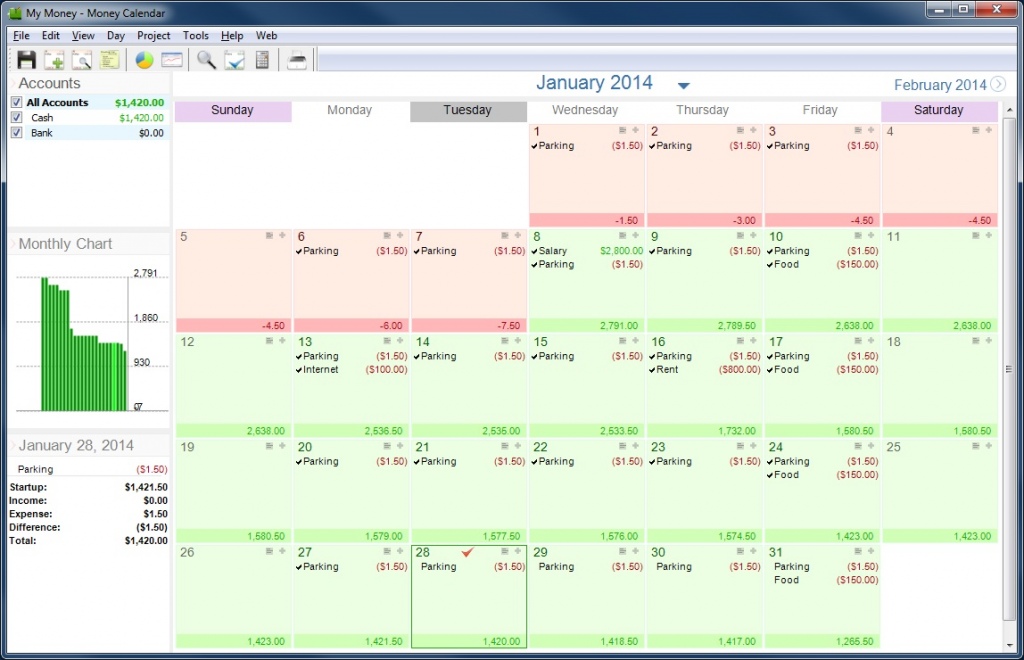
Completely new, yet the simplest way to keep an eye on your money daily is to use calendar. But to not merely look at it the way you did it before - record your revenues and expenses right on the calendar.
With the calendar accounting, you can easily see your financial state for the current month, review your last month's expenses and, most importantly, properly plan your upcoming income and expenses.
The software includes all necessary money management functions. You can maintain multiple accounts simultaneously, manage different income and expense categories. You can even set limits for expense categories and be notified when these limits are exceeded. The program offers 6 different types of reports and allows using those for generating custom reports. The multi-currency support is designed to let you completely forget about any problems with transferring money between accounts in different currencies. Our idea of multi-currency appears to be unique, therefore, this is the only application where today's exchange rate for Euro differs from the yesterday's and, certainly, from the one that was current two days ago.
These are just the basic functions and distinctive features of the software.
To this day, Rylstim Budget is a perfect solution for managing personal finances, ideal for home users and for freelancers.
About Money Calendar
This Accounting & Finance program is available in English, German, Portuguese, Russian, Spanish. It was last updated on 29 September, 2026. Money Calendar is compatible with the following operating systems: Windows.
The company that develops Money Calendar is Sketchman Studio. The latest version released by its developer is 5.0.0.6916. This version was rated by 1 users of our site and has an average rating of 4.0.
The download we have available for Money Calendar has a file size of 8.4 MB. Just click the green Download button above to start the downloading process. The program is listed on our website since 2016-08-04 and was downloaded 96 times. We have already checked if the download link is safe, however for your own protection we recommend that you scan the downloaded software with your antivirus. Your antivirus may detect the Money Calendar as malware if the download link is broken.
How to install Money Calendar on your Windows device:
- Click on the Download button on our website. This will start the download from the website of the developer.
- Once the Money Calendar is downloaded click on it to start the setup process (assuming you are on a desktop computer).
- When the installation is finished you should be able to see and run the program.
